
Pocket Review
Hardware AI Note Taking that is actually useful day to day

I had a good idea on a walk last Tuesday. I know I did because I pressed a button and it’s now in my notes. Six months ago it would have evaporated somewhere between the park and my front door.
I was never really a note taker in meetings and always preferred to stay focused on the conversation. Especially if it was a technical or difficult one with major implications for what we wanted to build.
Since buying a Pocket a few months ago, I don’t have that problem anymore. Meetings, catch-ups and walks get recorded, transcribed, and filed. I forget a lot less.
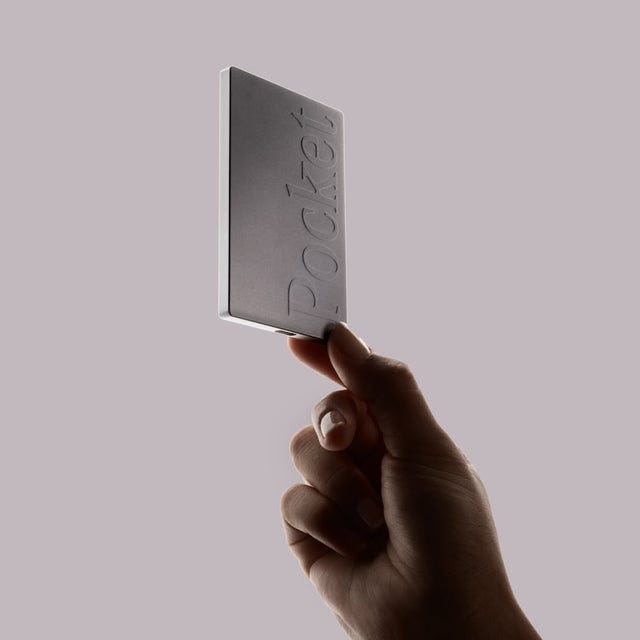
Pocket is a small piece of hardware, about the size of a battery pack, that sticks to the back of your phone via MagSafe. (Setup takes about ten minutes; the onboarding is quick.) There are two buttons on the side: one for normal recording, one for phone calls. I only use the first as I take calls on speaker or with headphones, so the normal button picks them up fine, and I can’t really speak to how the dedicated call button works. Battery lasts about four days of active recording (much longer than I expected) and it charges over USB-C.
Audio records on the device first, then syncs to Pocket’s cloud once you stop. AI transcribes and summarises it, and the finished transcript appears in your searchable library within a minute. Press it, it records. Press it again, it stops. That’s the whole interface. No calendar invite, no “starting a session.” Press, talk, stop.
It’s similar to software transcription tools like Granola or Otter. One important difference is that it’s a physical device, which means it works anywhere, with or without a laptop in the room.
Software transcription works brilliantly when you’re at a laptop, in a scheduled video call, with Granola running in the background. If 100% of your conversations happened in that setting, you wouldn’t need Pocket. I’ve seen plenty of people have an in-person meeting, open Teams and record it that way. It’s clunky and annoying. Pocket makes it easier for everyone in the room.
I use my Pocket in a few different situations: in-person and hybrid meetings where pulling out a laptop would change the dynamic; 1:1s and catch-ups where opening a laptop would be weird; and voice memos while walking, just me thinking aloud.
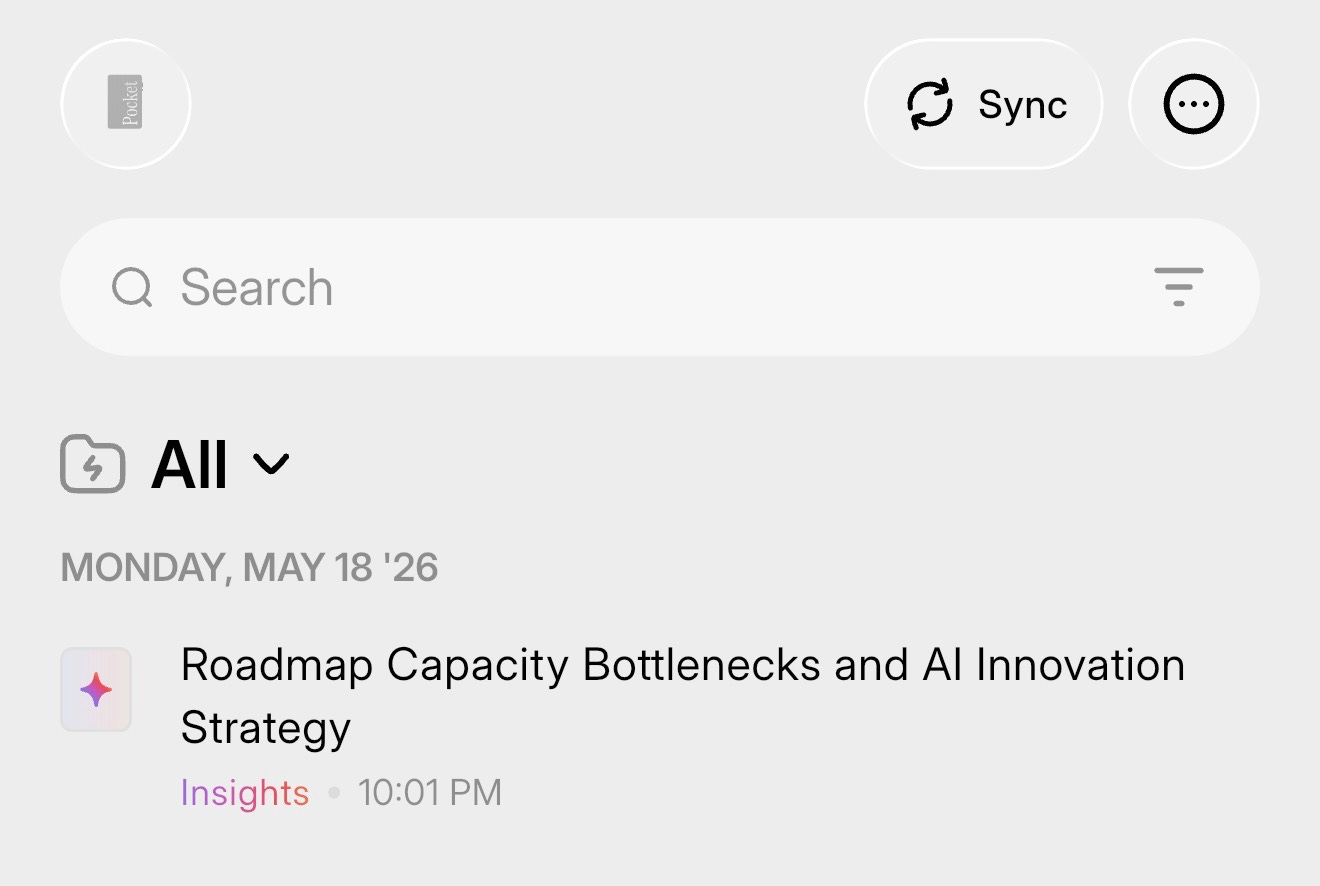
What’s surprised me most is how reliably it works. I’d half-expected something gimmicky, or a device that worked well enough to be a party trick but not well enough to depend on. It’s neither. It does what it claims, often enough that it’s become part of how I work.
In practice, the case that’s mattered most are long in-person workshops. No Teams call running, no shared transcript service in the room. Previously I’d have spent the day half-listening, half-scribbling, missing half of both. With Pocket on the back of my phone I can actually listen, and trust that the actions, decisions, and side-comments are captured for later. The transcript and summary appear in the app within minutes of the session ending. I absorb everything into structured notes in the evening instead of trying to do it while the conversation is still happening.
Walking is the single best tool I have for generating ideas, for work and for life in general. There’s something about the rhythm of it that helps generate ideas and process thoughts.
Before Pocket, I’d have to pull out my phone, open my notes app, write the thought or speak into it, but that whole experience felt a bit disruptive and annoying. Now I press the button, talk into nothing in particular, and review the transcript later as a structured set of ideas rather than a voice memo I never play back. I could leave my phone at home entirely if I wanted to. I haven’t yet, but the option exists.
The smaller, ongoing thing is continuity across recurring meetings. Because the app learns voices over time, it builds up a picture of your conversations with the same people. I can ask it for an overview of all my meetings with a specific person and any outstanding actions from those conversations.
One thing to address is how I handle the fact that I’m recording people. When I join a meeting I’ll tell people I’m using it, especially in person, just like you would if you were going to record with Teams or Zoom. I think it’s the right etiquette, and I’m sure there are laws around recording people without their consent you don’t want to run afoul of. That said, I don’t share these notes or recordings with anyone. It’s all for personal use.
What makes all of this viable is the structured output. Pocket turns each recording into a transcript plus a summary, so what I actually use is the parsed text, not the audio.
I’ve taken this further by hooking Pocket into Claude via its MCP server. Transcripts get pulled into Claude, which distils them into structured notes I update, tag, and file in my vault. This lets me build a pretty comprehensive, locally stored setup that Claude can use to strengthen its context. Alongside that, Claude picks out any actions, and those feed directly into my daily to-do list. Claude does the absorption work I’d never have the patience to do by hand.
It’s not without friction. The main issue I have is speaker identification. Pocket tries to distinguish who’s saying what, and it gets it right often enough to be useful, just not often enough to trust without checking. You can manually merge voices in the app after the fact, and it does get better over time. But it’s not zero-touch. Every so often I need to spend a few minutes cleaning up labels.
This matters most in groups of three or more, where mis-attribution can flip the meaning of who committed to what. In 1:1s it’s basically a non-issue. Only two voices, easy to disambiguate, and after a few sessions the system has both speakers nailed. In larger meetings it’s something I have to actively manage.
On price: the device itself is around $199 USD (sometimes on launch special for $129). The free tier handles transcription and basic summaries which is enough for casual use. I’m on the Pro subscription, which is about $400 AUD a year ($240 USD at full price) and adds speaker separation, advanced summary styles, unlimited cloud history, and a handful of other things. I’m on Pro because I use the device heavily, but you can get a long way without it.
If you have a lot of conversations you wish you could remember better, I’d buy one. The case is strongest for anyone whose work happens away from a laptop: managers, consultants, field work, meeting-heavy roles where the most useful exchanges happen in hallways and over coffee. If your day is 100% scheduled video calls, save your money and use Granola.
A few months in, Pocket lives on the back of my phone permanently. I’d buy another one tomorrow if I lost it, and I think more people should know about it.